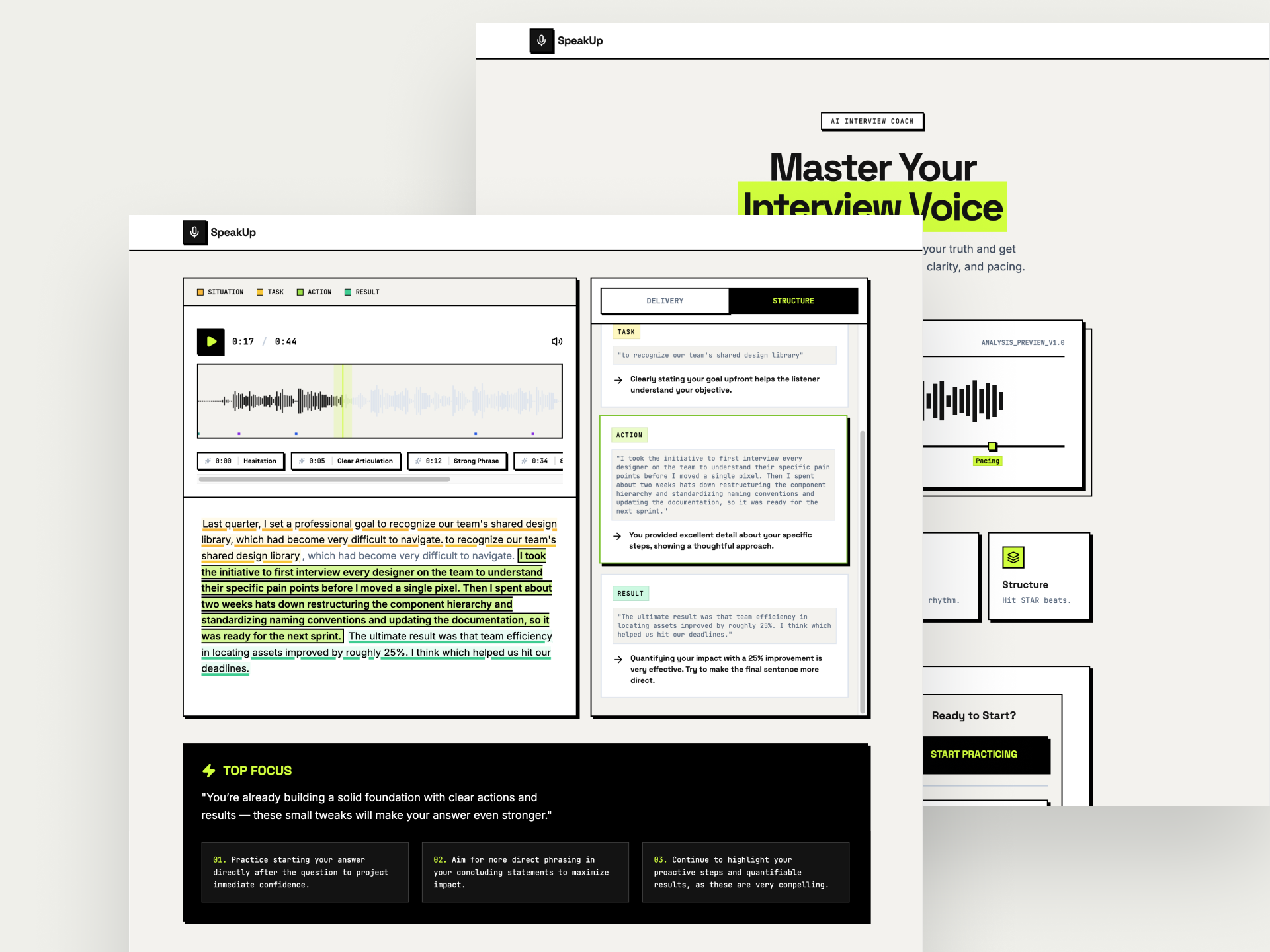
For many non-native speakers, the real hurdle isn’t a lack of professional expertise, but the painful disconnect between their internalized thoughts and their verbal delivery under pressure. While users often rely on text-based preparation as a safety net, that "perfectly phrased" content frequently crumbles during the dynamic flow of a live interview. Standard LLMs like ChatGPT can polish a script, but they leave users with a massive delivery blind spot regarding pacing, clarity, and tone. In a three-week sprint, I aimed to bridge this gap by transforming a standard LLM into a supportive voice-AI coach that helps users move beyond memorization and toward genuine, moment-level mastery.
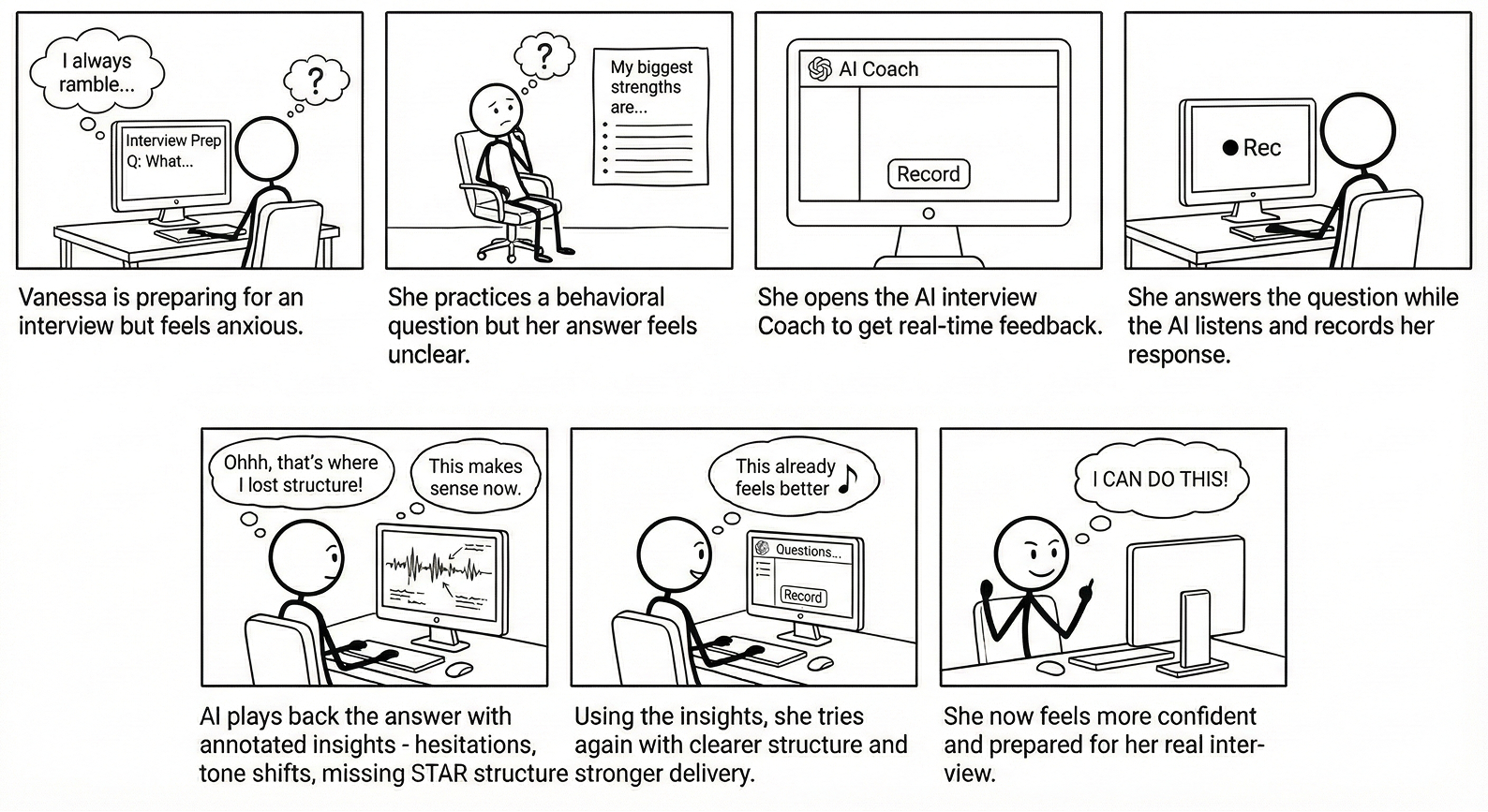
I led with an "Intelligence-First" methodology because I recognized that for an AI-driven product, the interface must be a direct reflection of the underlying AI behavior. To bring this to life, I sketched a storyboard to map the user’s emotional journey from the anxiety of the "delivery blind spot" to the relief of receiving objective, transcript-based coaching.
To prove this journey was technically feasible, I used Google AI Studio to verify if an LLM could move beyond simple text editing to analyze the qualitative nuances of speech like pacing and confidence. By engineering specific system instructions, I proved the AI could successfully label a transcript with STAR method beats and generate accurate delivery scores. This validation of the core logic was essential before I invested time in high-fidelity interface design.
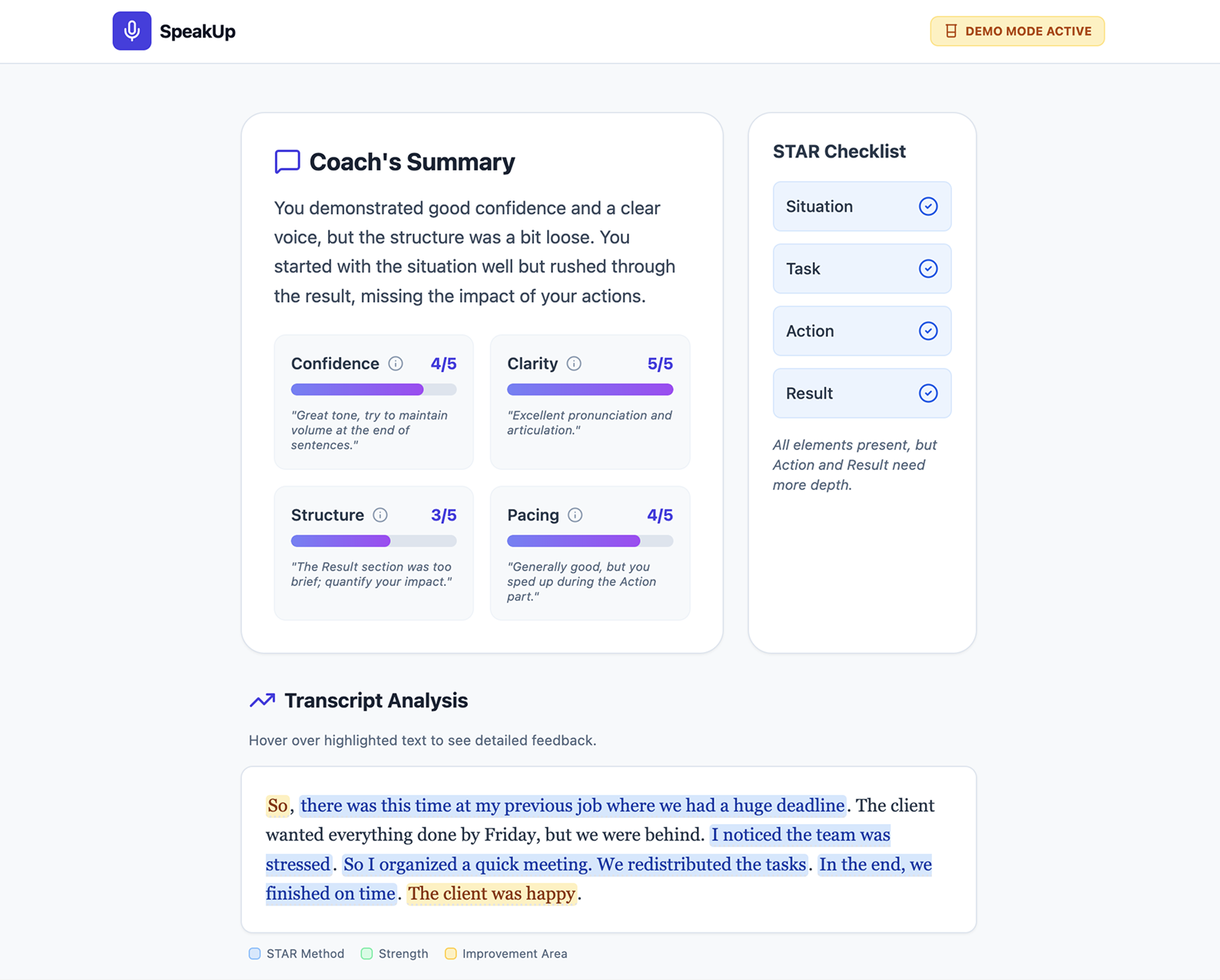
My process was a series of rapid pivots to balance technical depth with user psychology as I moved from a data-heavy report to a supportive coaching tool.
My first prototype was a dense report with a numerical grade, but testing revealed that static summaries told users how they did without explaining how to improve.
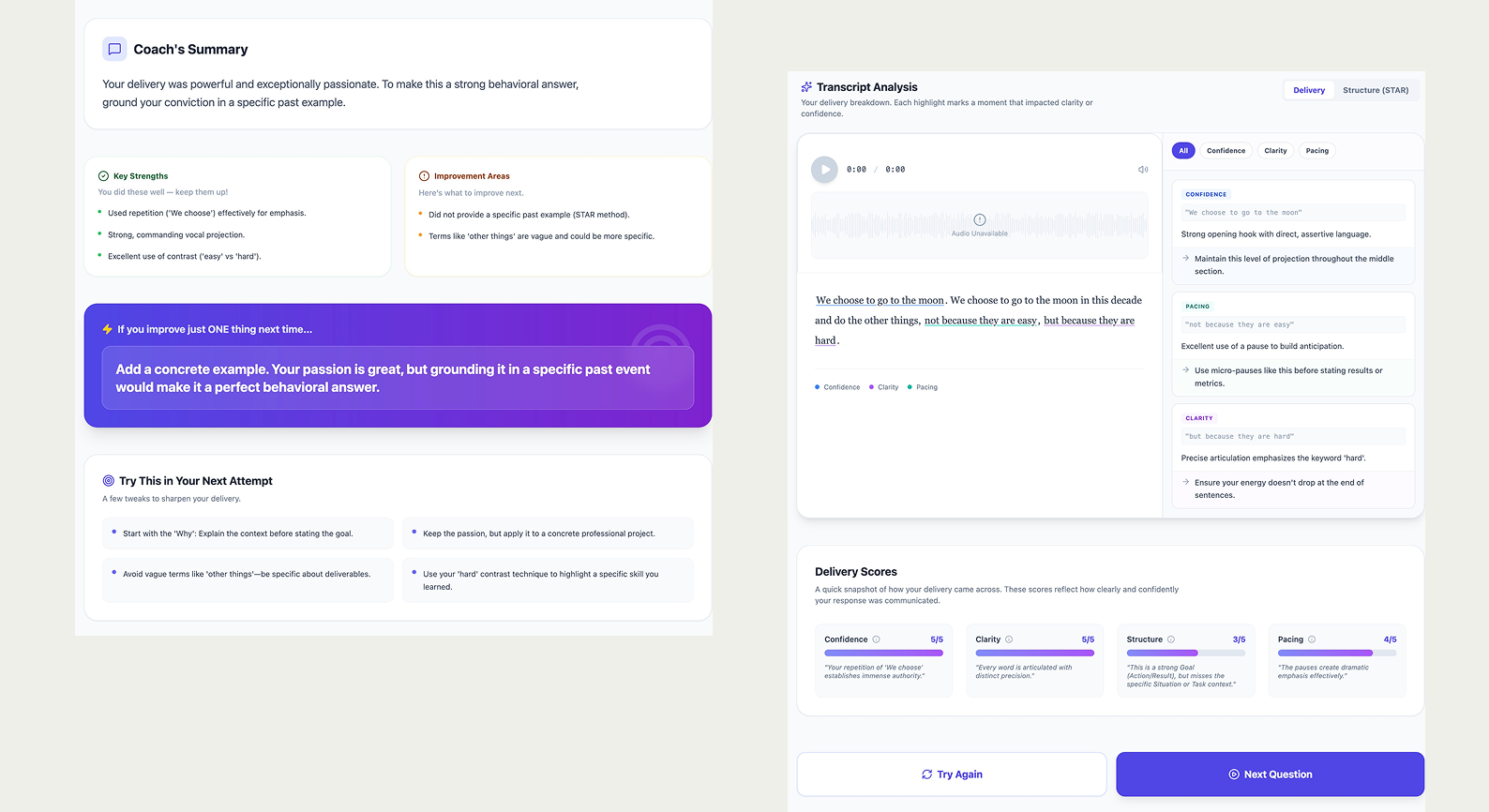
In the next iteration, I prioritized time-stamped highlights as the primary interaction to provide a specific roadmap for improvement. By "locating" the feedback within the transcript, I refined the AI’s tone to be more supportive, transforming the experience from a high-pressure test into a constructive coaching session.
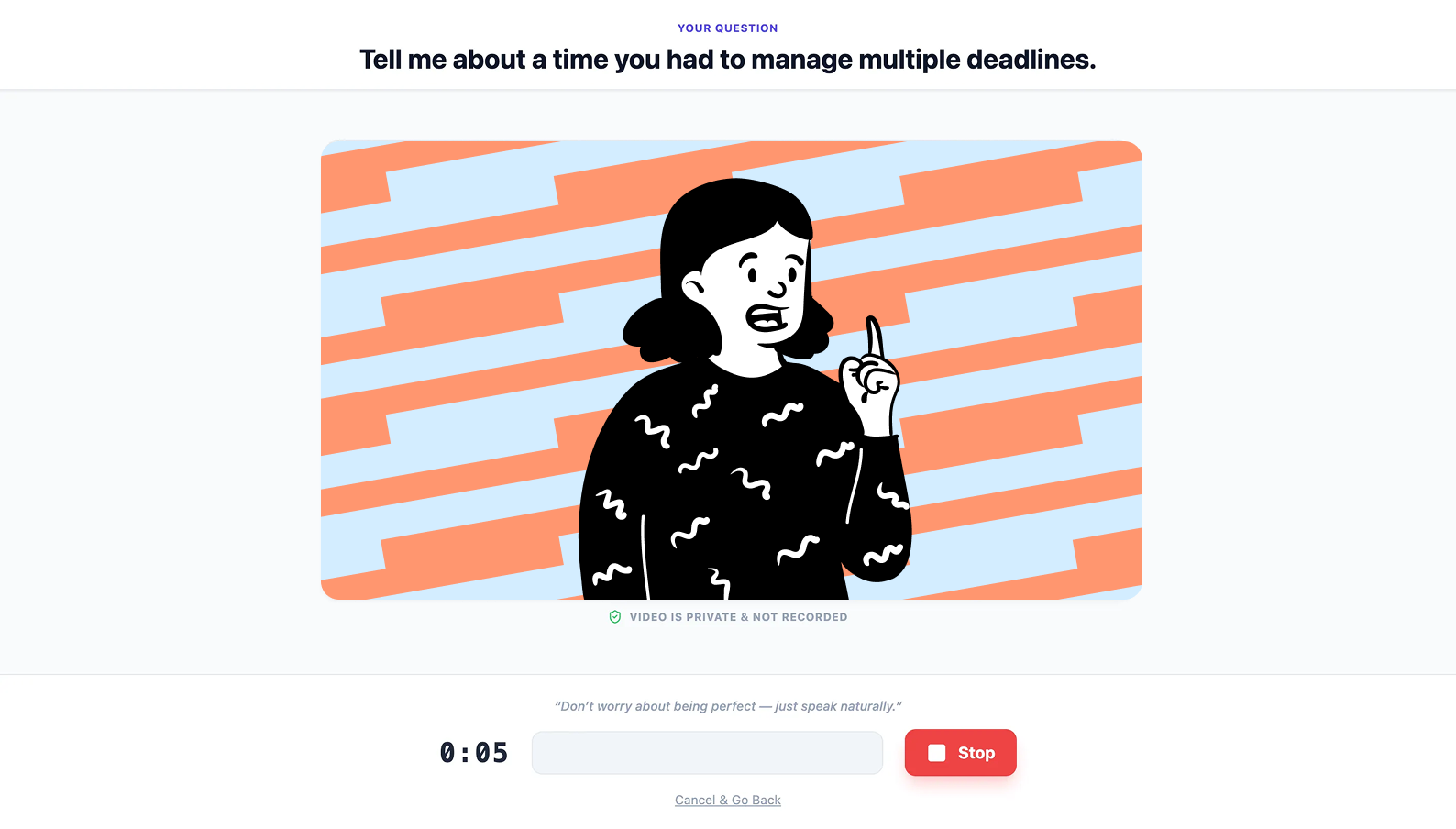
I introduced a "Camera-On" feature because, while I worried about adding pressure, testers found that seeing themselves made the practice feel more realistic and better prepared them for actual interviews.
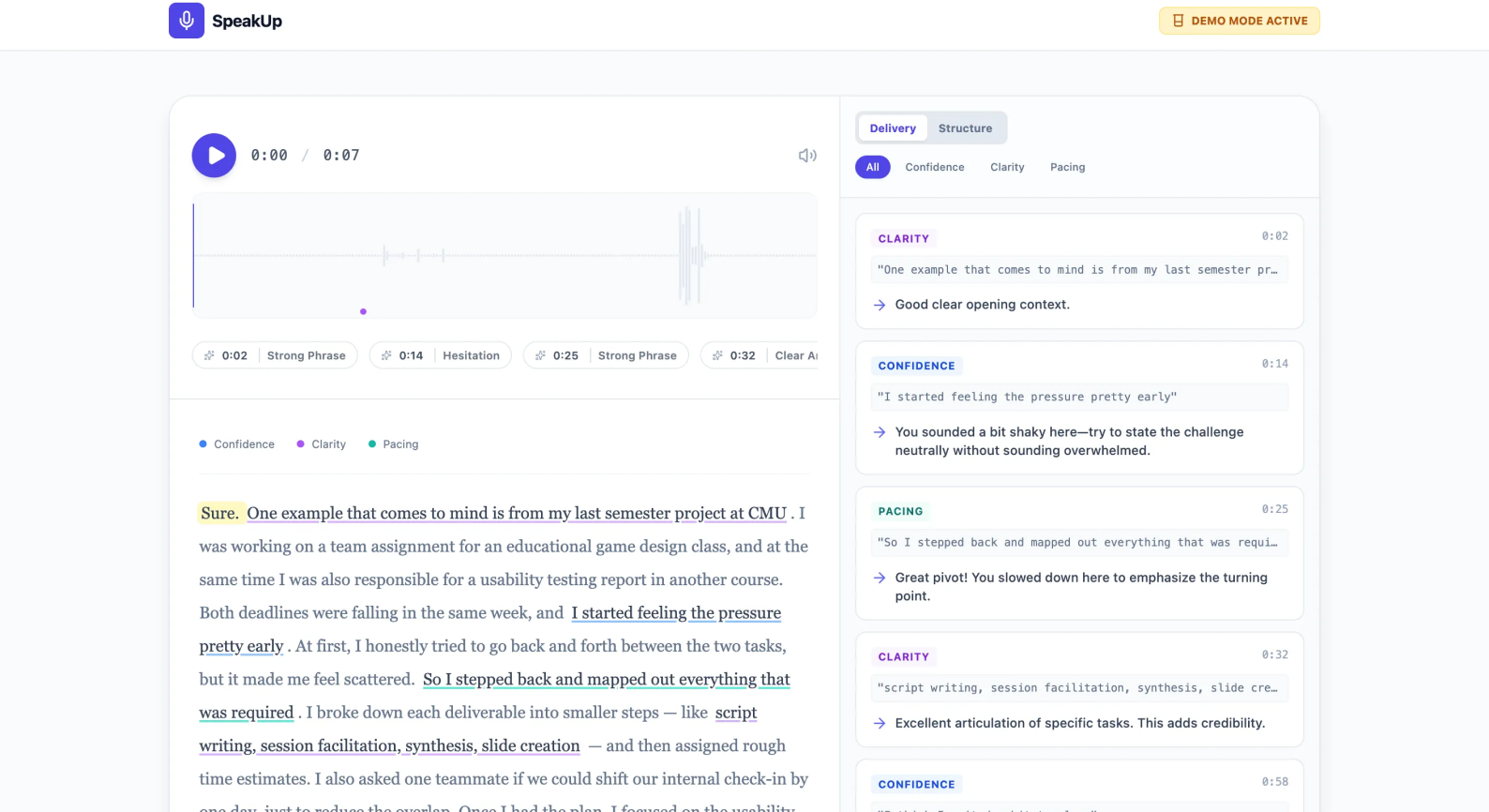
Unlike generic summaries, this feature links AI critiques directly to specific phrases in the transcript. By "locating" the feedback, users can see exactly where their delivery faltered, making the path to improvement immediate and specific.
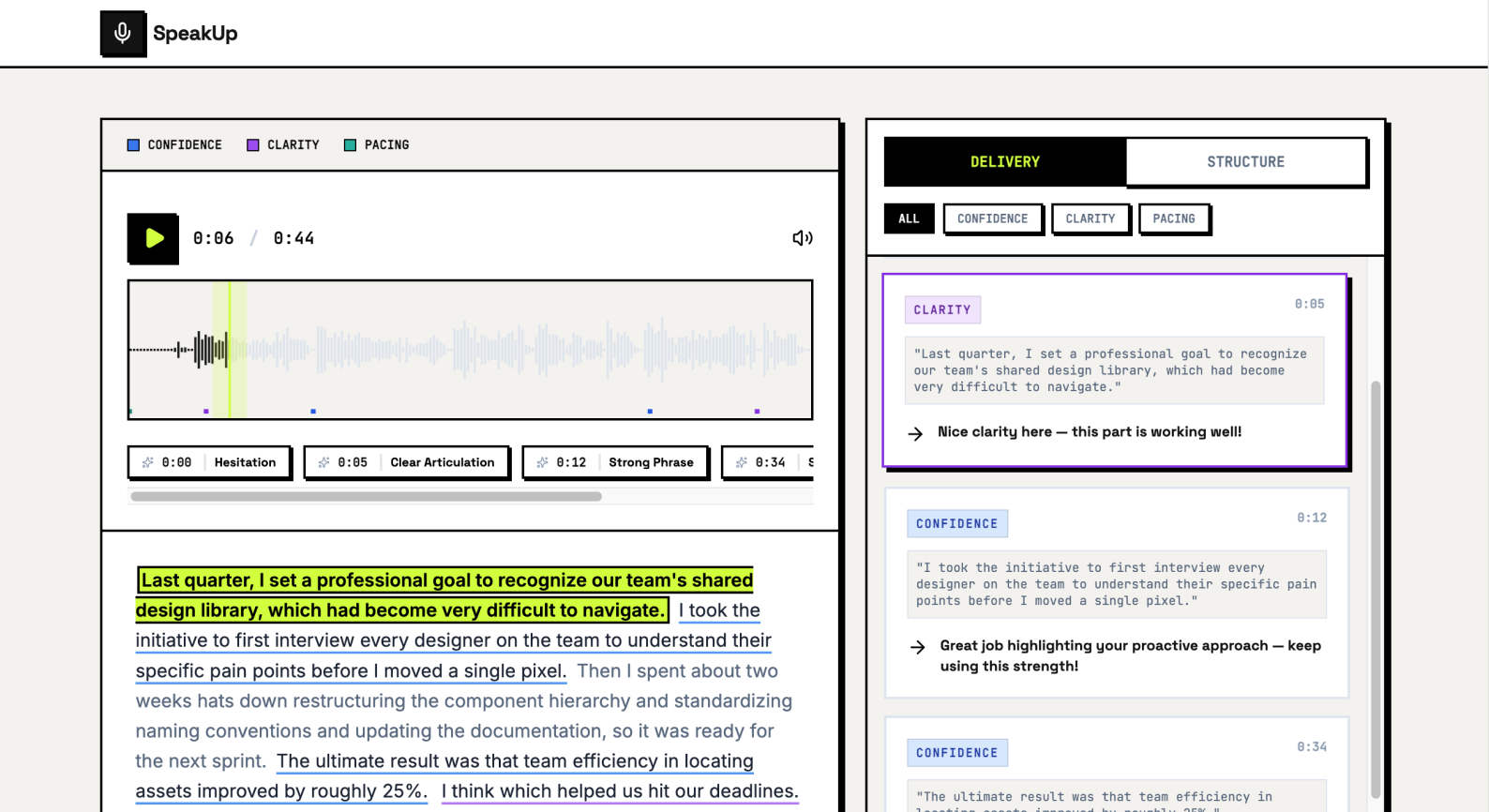
The AI analyzes three key pillars—Confidence, Clarity, and Pacing—to help users refine their professional presence beyond simple grammar fixes.
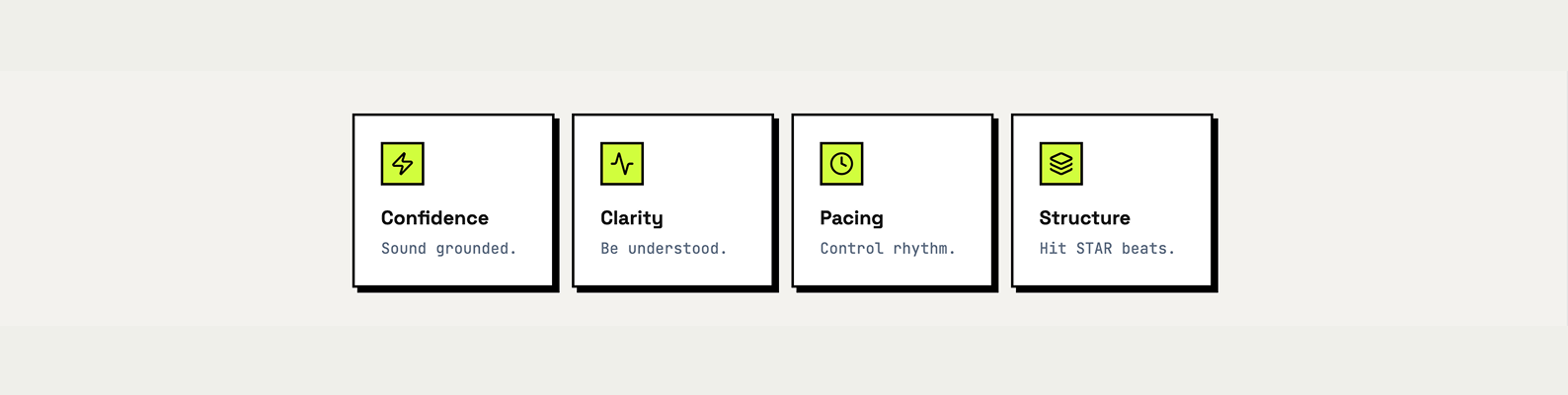
The AI identifies if the user "hit the STAR beats" (Situation, Task, Action, Result). This ensures the user is telling a high-impact story rather than just recounting facts.
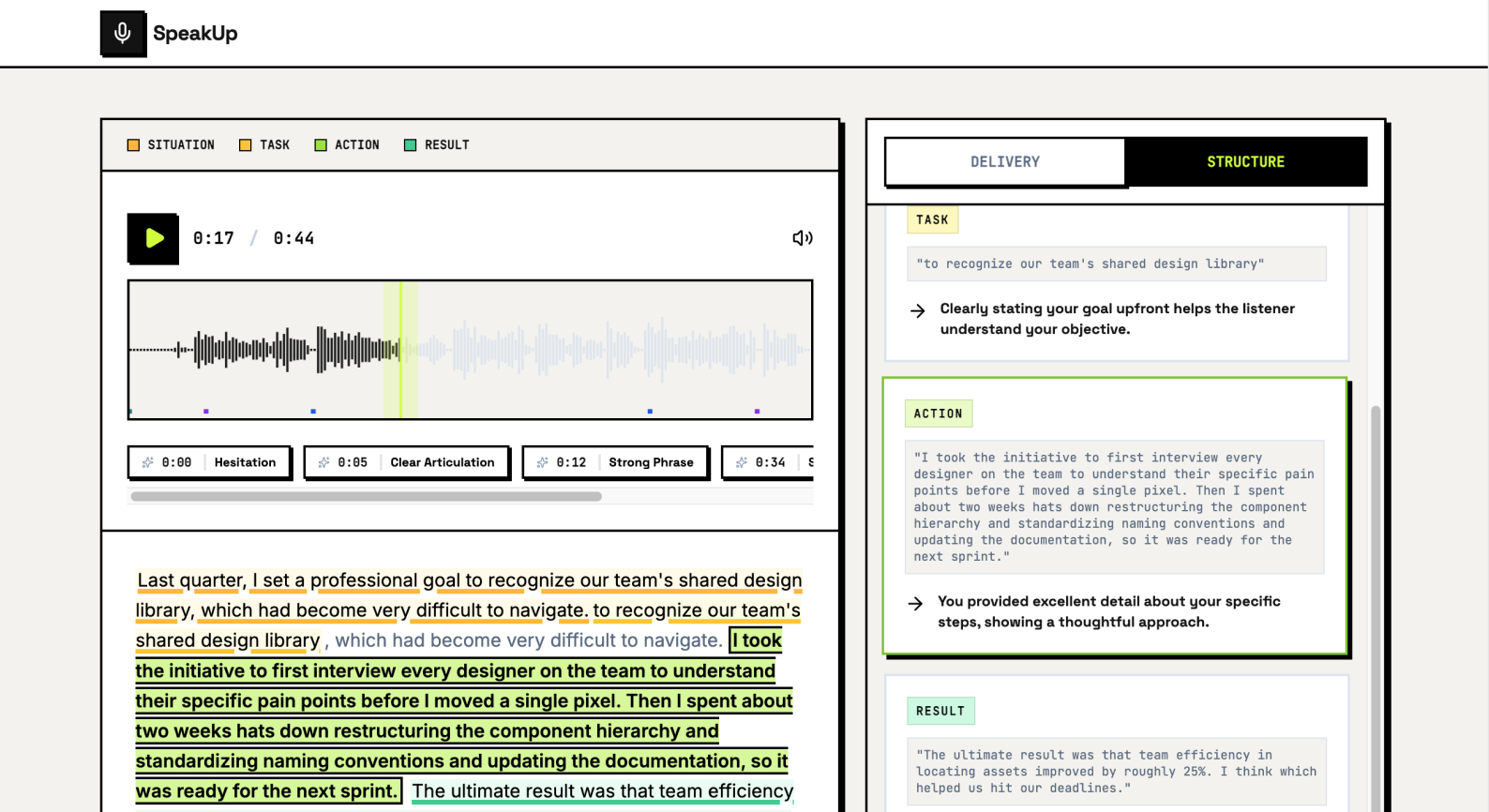
The UI encourages a "try again" mindset. Once a user reviews their highlights, they can instantly re-record to master specific segments, turning the process into a dynamic growth cycle.
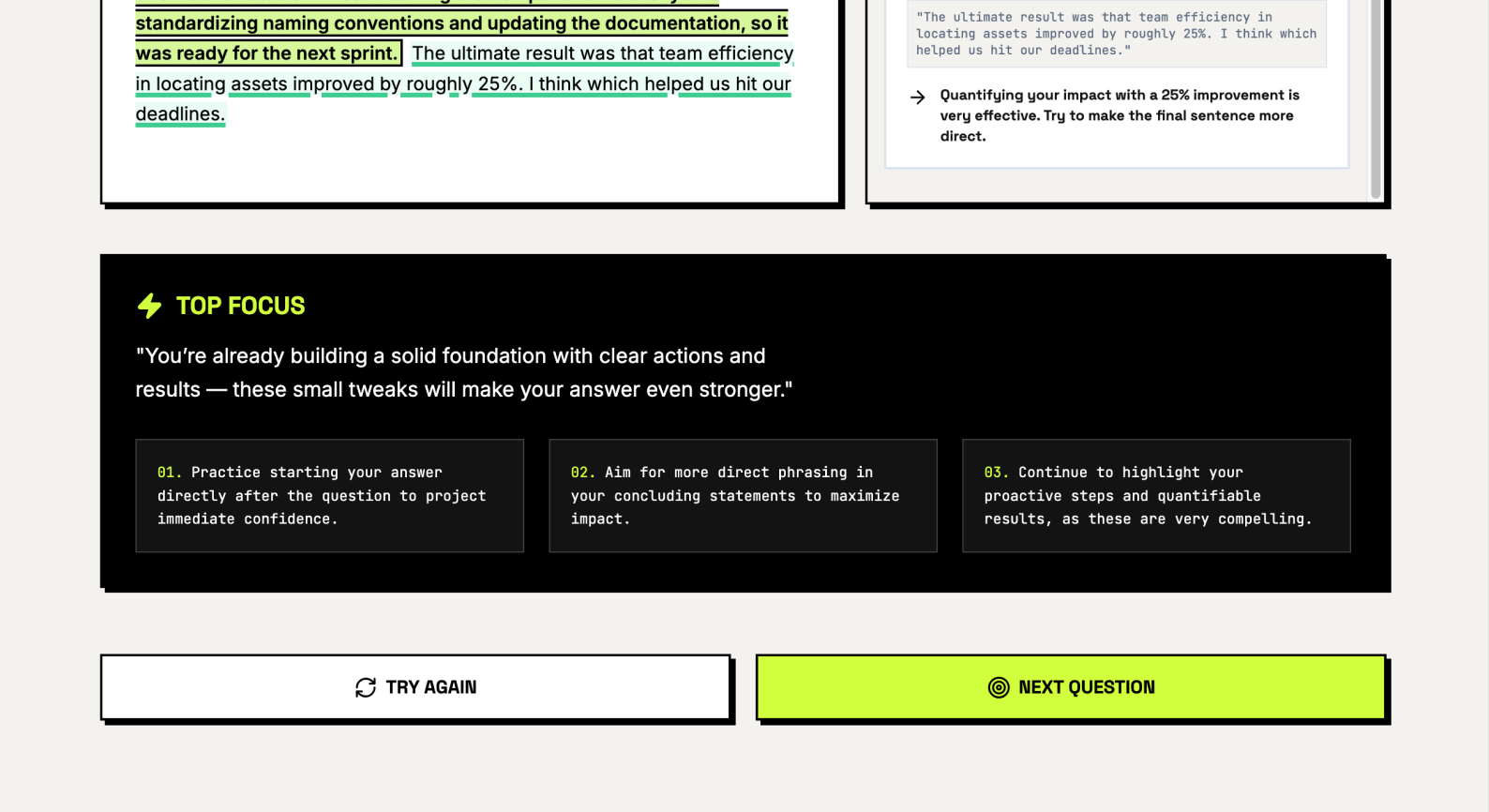
In a rapid three-week sprint, I focused on behavioral shifts and qualitative validation to measure success.
This project solidified my belief that a product's logic should be the foundation of the user experience. By spending my first week in Google AI Studio rather than Figma, I ensured the coach’s "brain" was actually helpful before I designed the "skin".
I also explored the complex psychology of feedback. When a tester mentioned that a grade made him nervous, it taught me that a designer’s job isn't just to provide data, but to navigate the tension between the fear of being judged and the deep need to see progress. Moving forward, I want to keep exploring how to protect psychological safety while driving mastery.