As an international student, I've lived the "social tax" of second-guessing every text message. LingoBuddy solves this by letting students screenshot confusing chats and get instant cultural context—not dictionary definitions. When testing killed my slider-based design, I rebuilt the entire flow around eliminating friction rather than offering control. I validated it at CMU, then shipped a working prototype to prove it could handle real-world edge cases.
project specs
context:
CMU HCII course project
Timeline:
Apr – May 2025
Role:
Product Designer
Impact
Exploring a new way to learn slang
LingoBuddy proved that AI doesn't have to be a robotic corrector; it can be a tool for cultural translation and social confidence. By grounding the UI in learning science, I turned a high-stakes social hurdle into a playful, contextual learning moment. After validating the design at CMU, I shipped a functional prototype in 10 hours using Lovable + Supabase + Cursor to stress-test the interaction model with real edge cases.
100%
contextual learning
~30s
saved
6-week
end-to-end design cycle
10h
vibecoding execution
problem & context
Closing the belonging gap
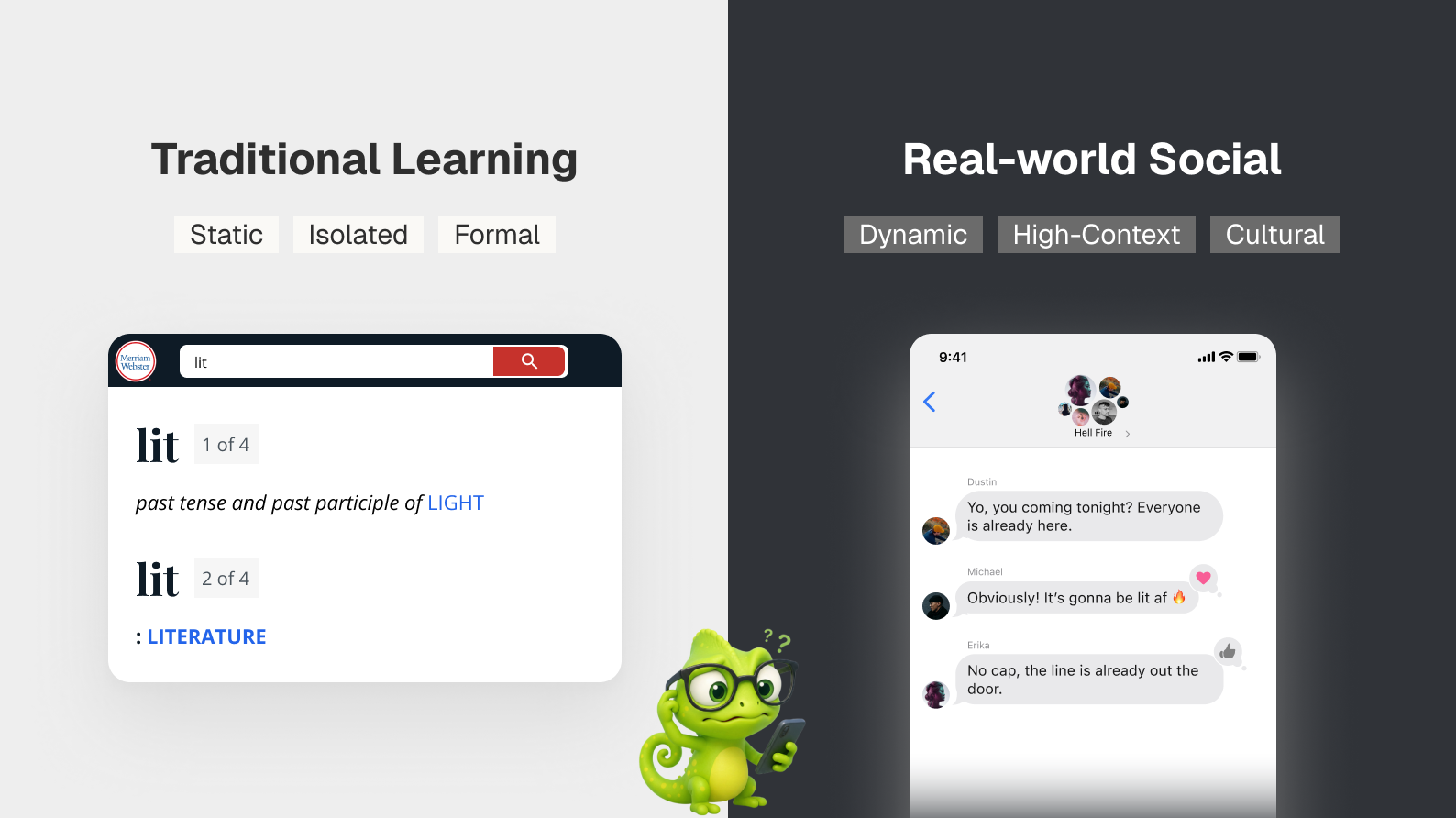
Mastering formal grammar is only half the battle; true social belonging requires navigating the fluid, high-context world of cultural subtext. I found that for many international learners, the primary barrier isn't a lack of vocabulary—it's a fundamental lack of communicative confidence. Traditional tools excel at formal definitions, but fail to bridge the "Nuance Gap" in real-world social lives.
Defining the "Nuance Gap" — Moving beyond static vocabulary to foster long-term conversational mastery through contextual learning and scaffolding.
Strategy & Decision Making
Our support was actually adding friction
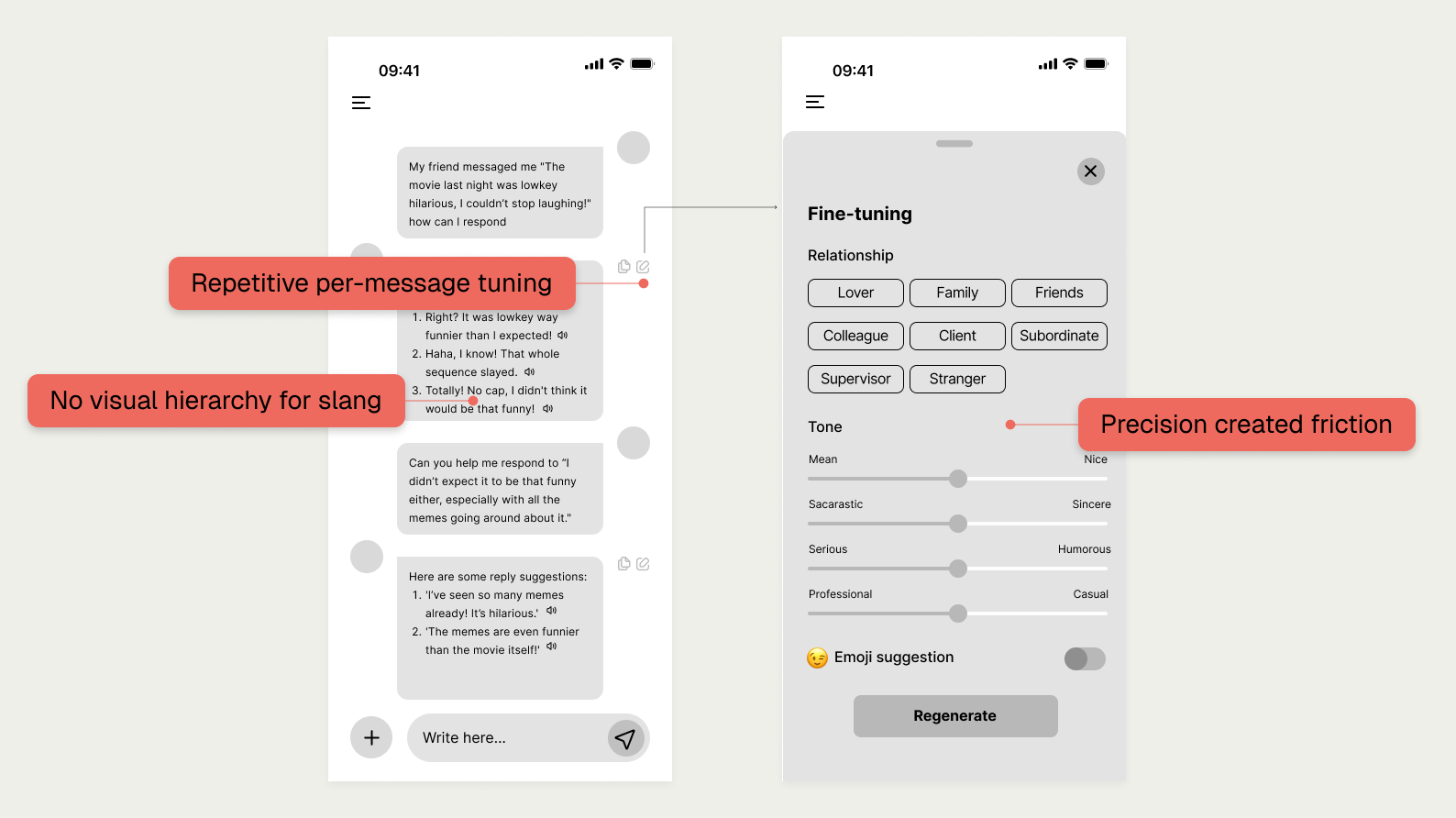
We started with a familiar chat interface, but watching students use the mid-fi prototype was a wake-up call. I realized our "support" was actually creating cognitive exhaustion rather than confidence. Through testing, I identified a clear disconnect:
The Micromanagement Trap: Users felt like "linguistic engineers" tuning messy sliders instead of having a conversation.
The Sarcasm Mismatch: We optimized for wit, but users prioritized social safety.
Invisible Learning: Slang was buried in replies; people were "using" words without actually "learning" them.
Testing revealed a "Micromanagement Trap" — where complex sliders forced users to focus on UI mechanics instead of social confidence.
Trading linguistic engineering for human intent
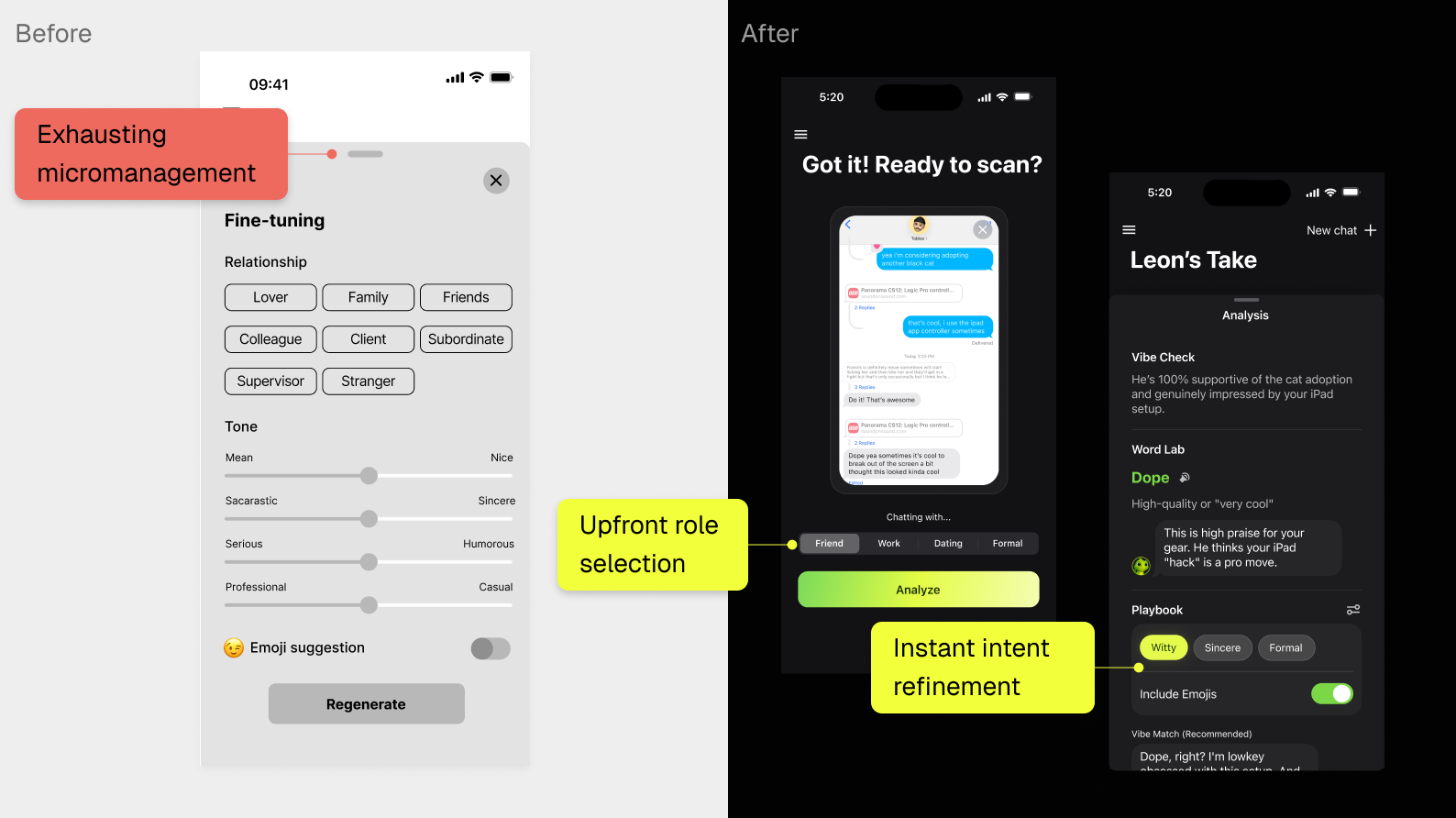
I used system flow mapping to diagnose exactly where manual inputs were breaking the learner's social flow. I knew I had to pivot: Leon couldn't just be a chatbot; it had to be a proactive partner that handles the "gritty details" of subtext in the background.
From "Tuning" to "Intending" — I replaced exhausting manual sliders with intuitive intent presets to minimize cognitive tax and prioritize user goals.
solution
Meet LingoBuddy
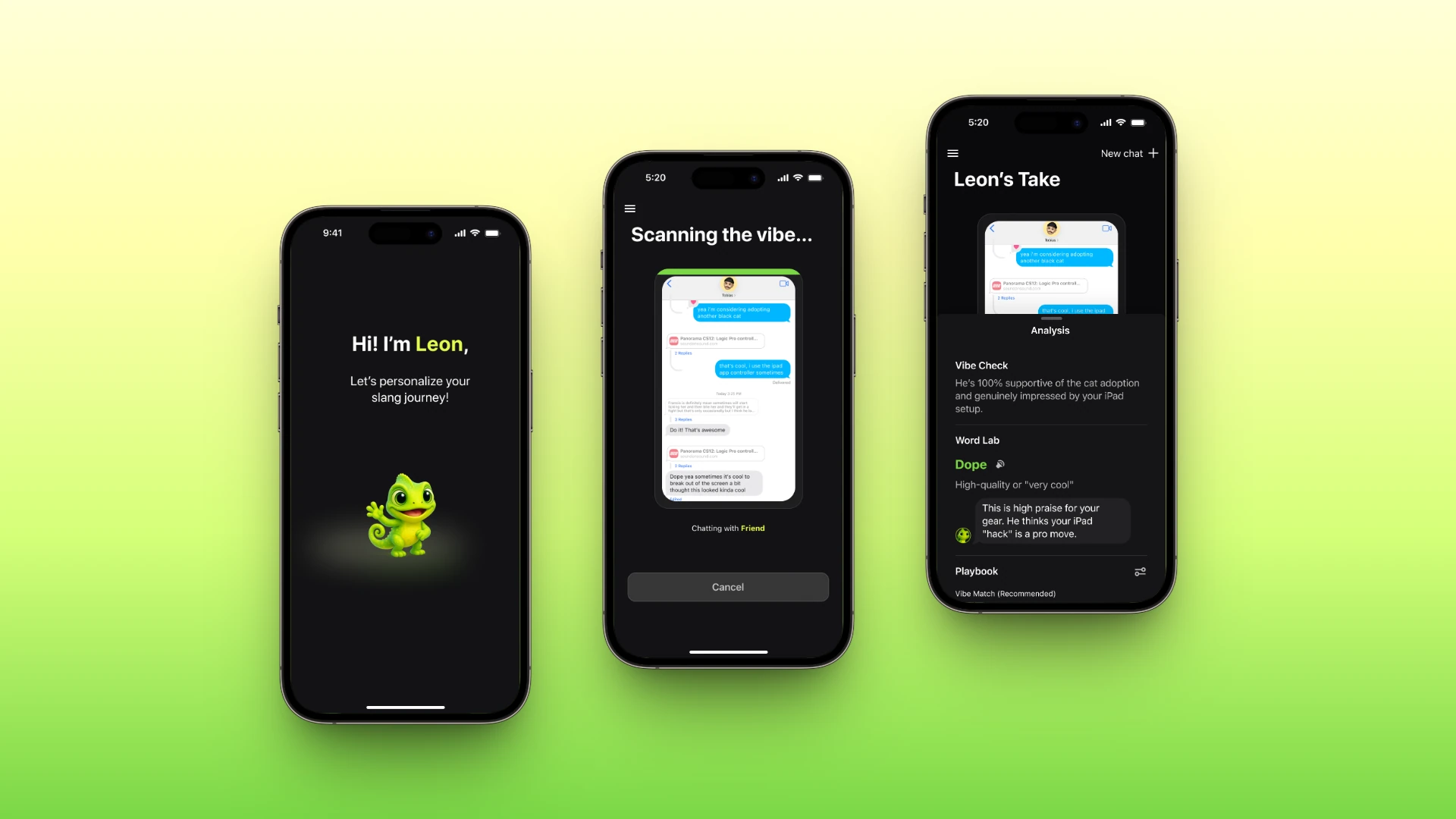
LingoBuddy is a contextual AI sidekick built to help international students "read the room" without losing their own voice. I shifted away from a generic bot toward a personality-driven experience that transforms high-stakes social hurdles into playful, contextual learning moments.
Removing the "Social Tax"
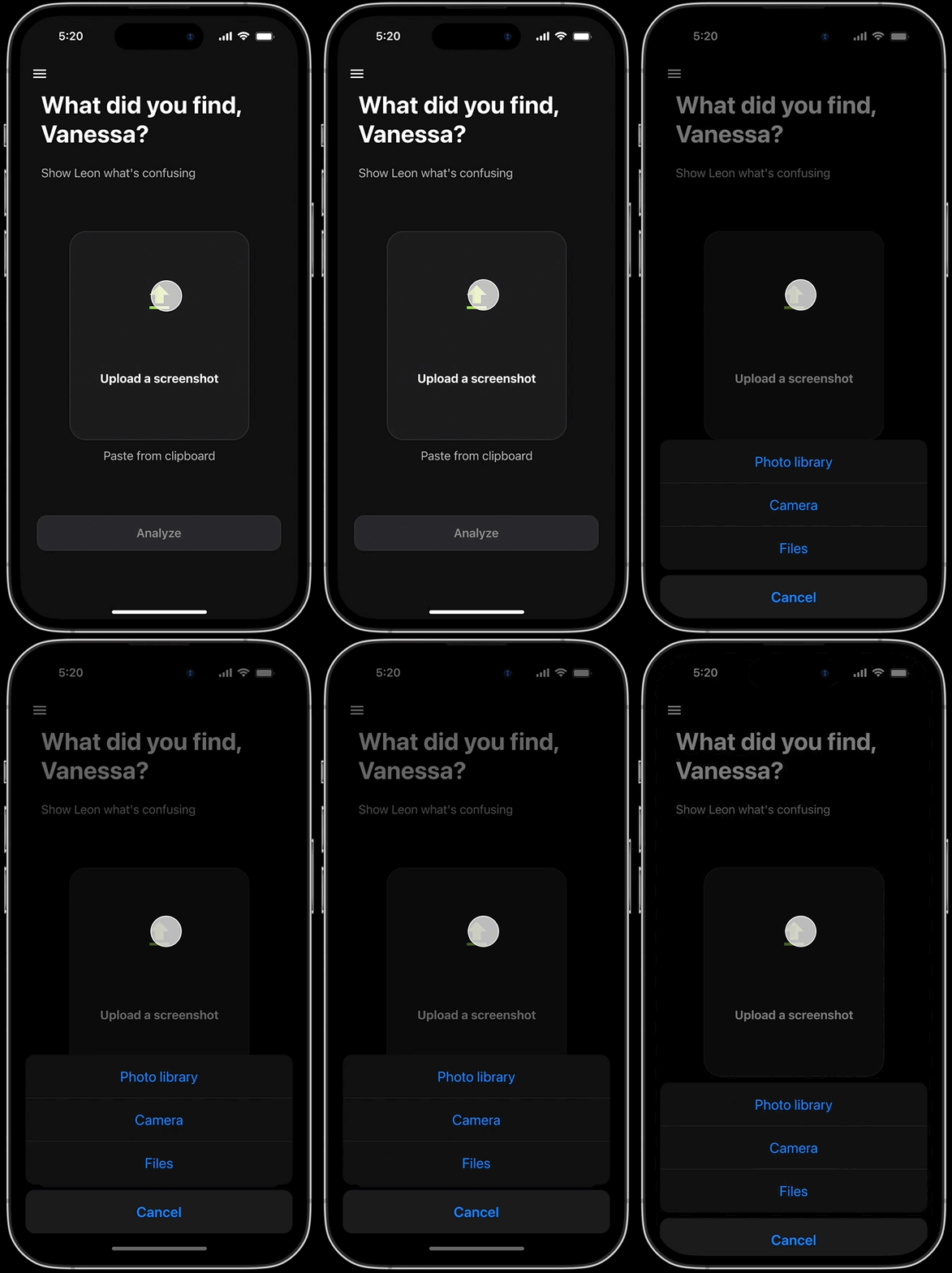
I replaced the text box with a screenshot-first workflow so Leon can "see" the memes, emojis, and cultural subtext for itself. By removing the exhausting burden of manual typing, I allowed users to focus on the conversation rather than the tool.
From Recall to Recognition — Eliminating manual input to preserve the user's social flow.
Scaffolding for Mastery: The Word Lab
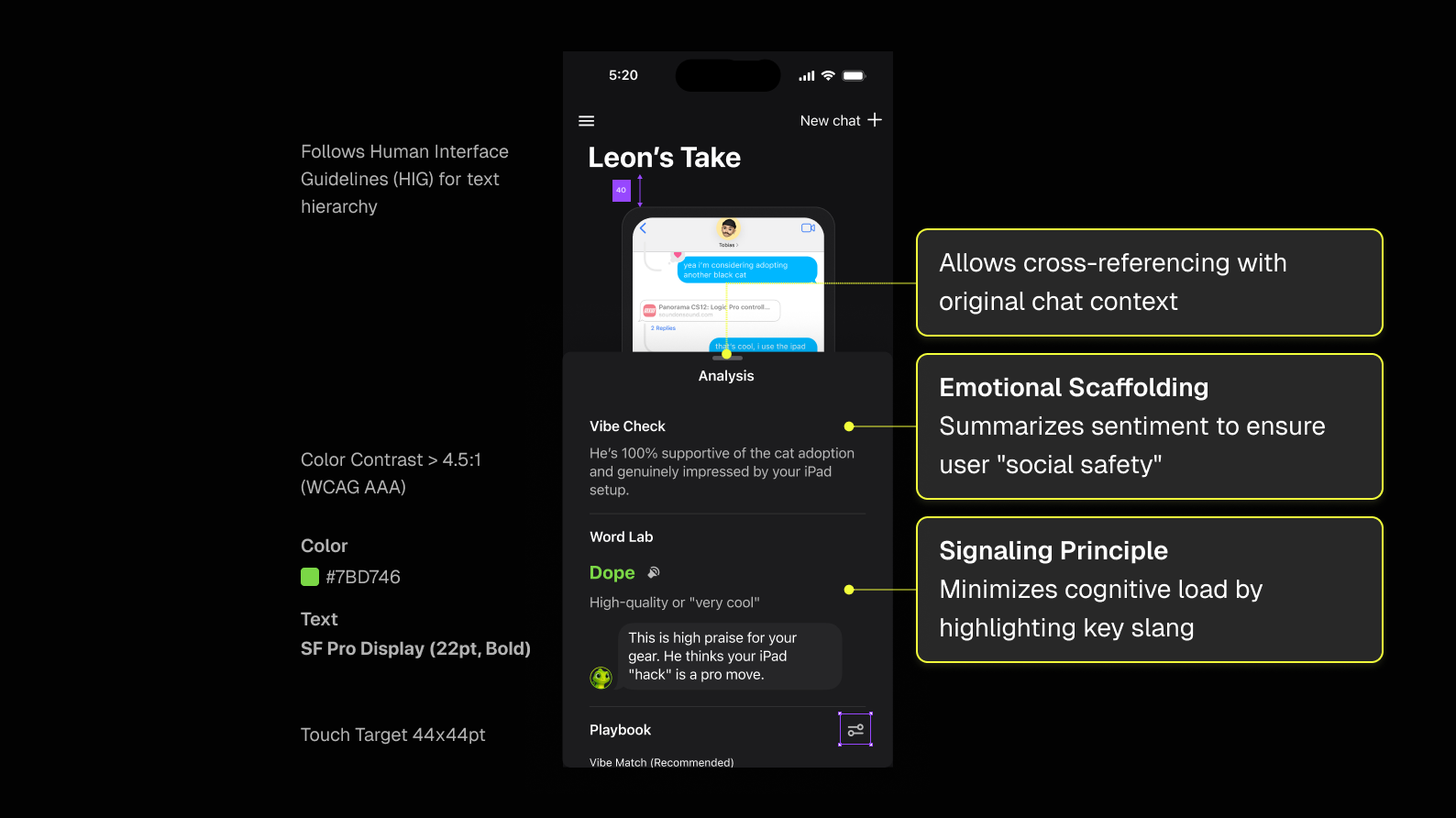
To ensure users were actually learning, I moved the slang analysis into a dedicated Word Lab. I used high-contrast visual anchors to bold target words and scaffold the "why" behind social nuances. This turns a fleeting AI reply into a permanent learning moment without overwhelming the user during the chat.
Visual Scaffolding — Using high-contrast anchors to ensure the target slang is impossible to miss during the learning phase.
Leon: The Emotional Buffer
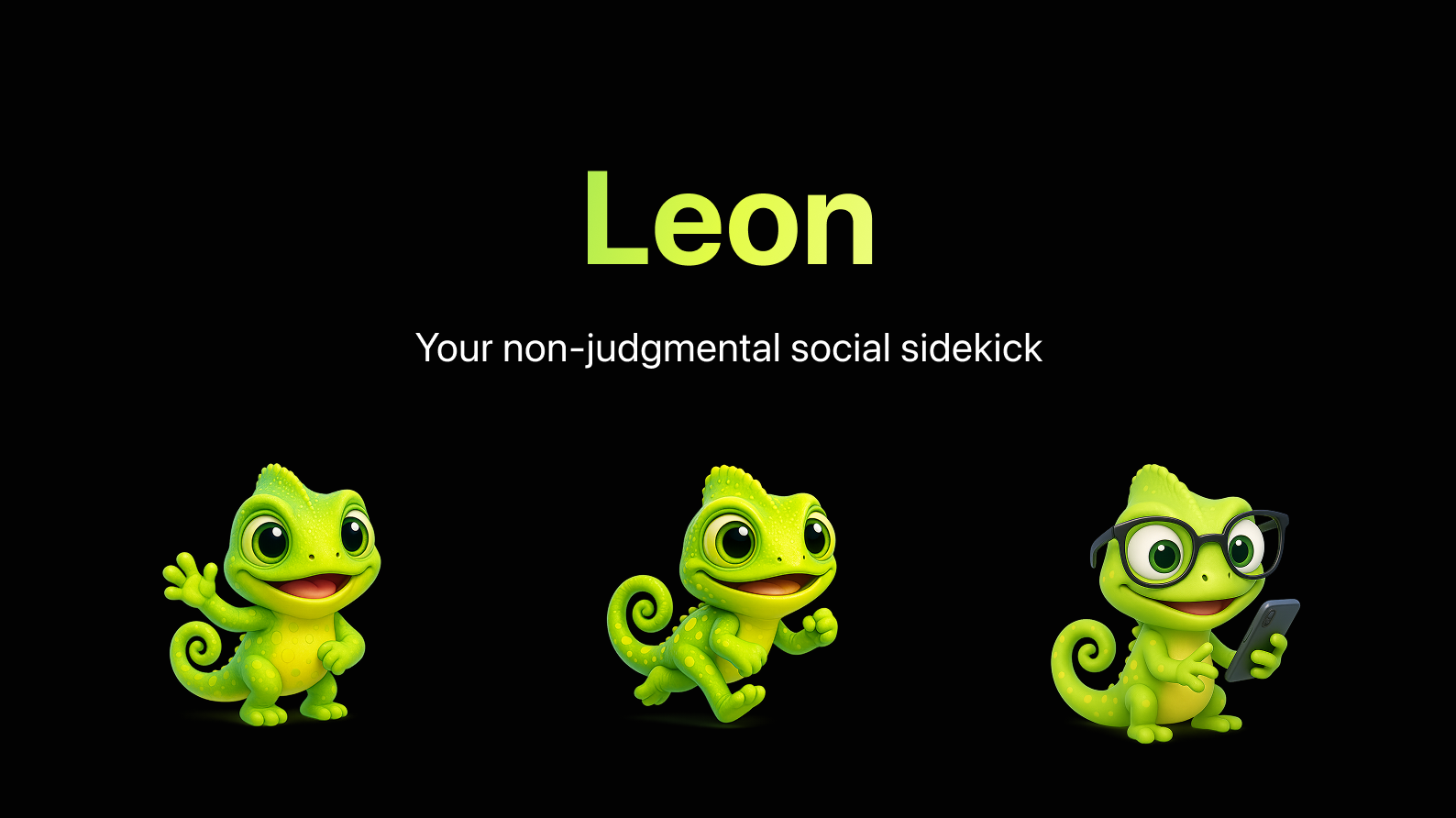
Asking for social help can feel intimidating, so I introduced Leon the Chameleon. He represents the "social camouflage" international students navigate every day—adapting to new contexts while keeping their own personality. Leon transforms a high-anxiety hurdle into a supportive, guided experience.
More than a Mascot — An emotional anchor that makes the learning journey feel safe and encouraging.
Mapping the Invisible Logic
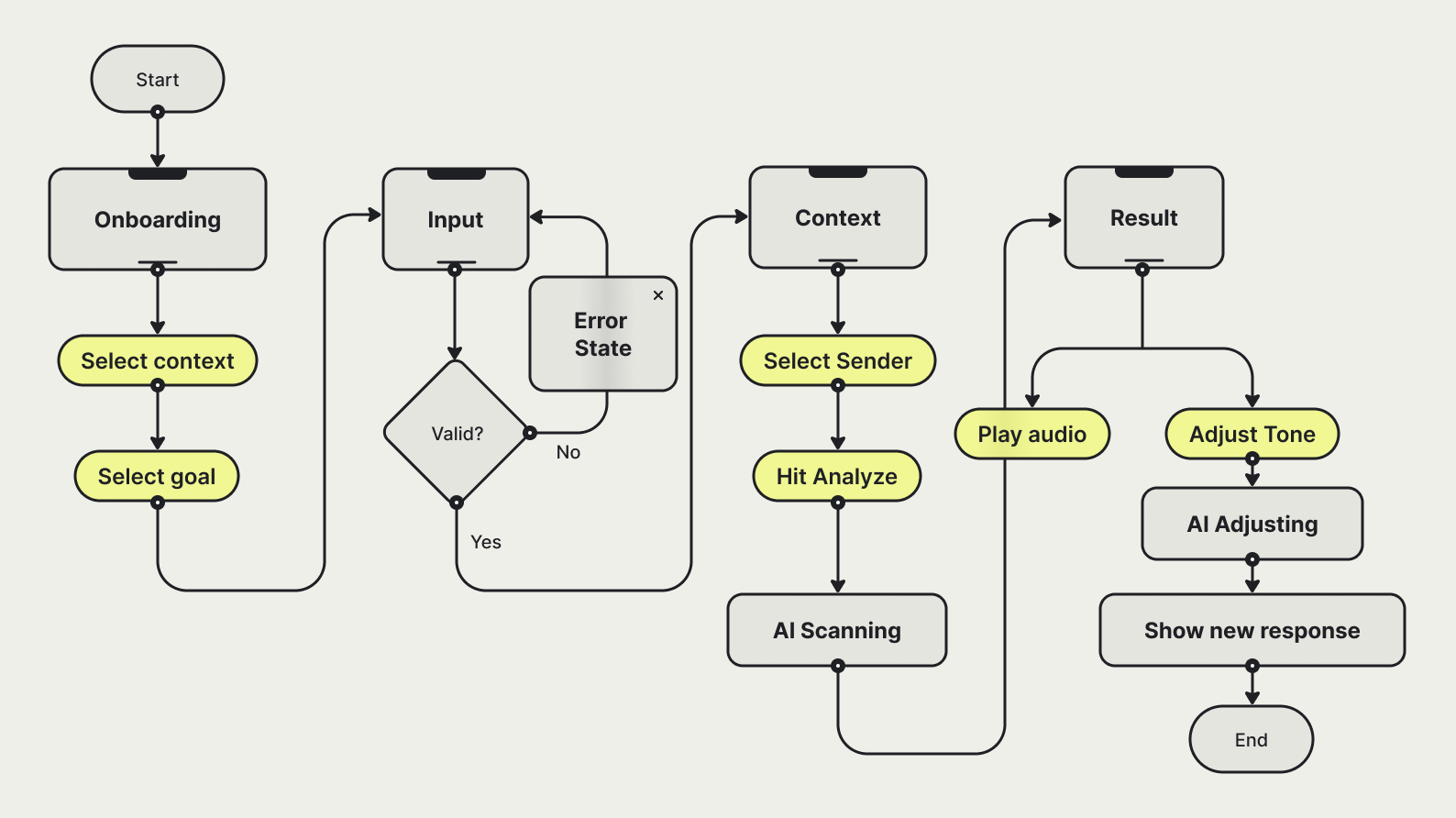
To ensure the experience was as accessible as it was educational, I mapped every system state to ensure fluid transitions between user input and AI analysis.
User flow mapping the interaction between user inputs and AI system states
A System Anchored in Utility
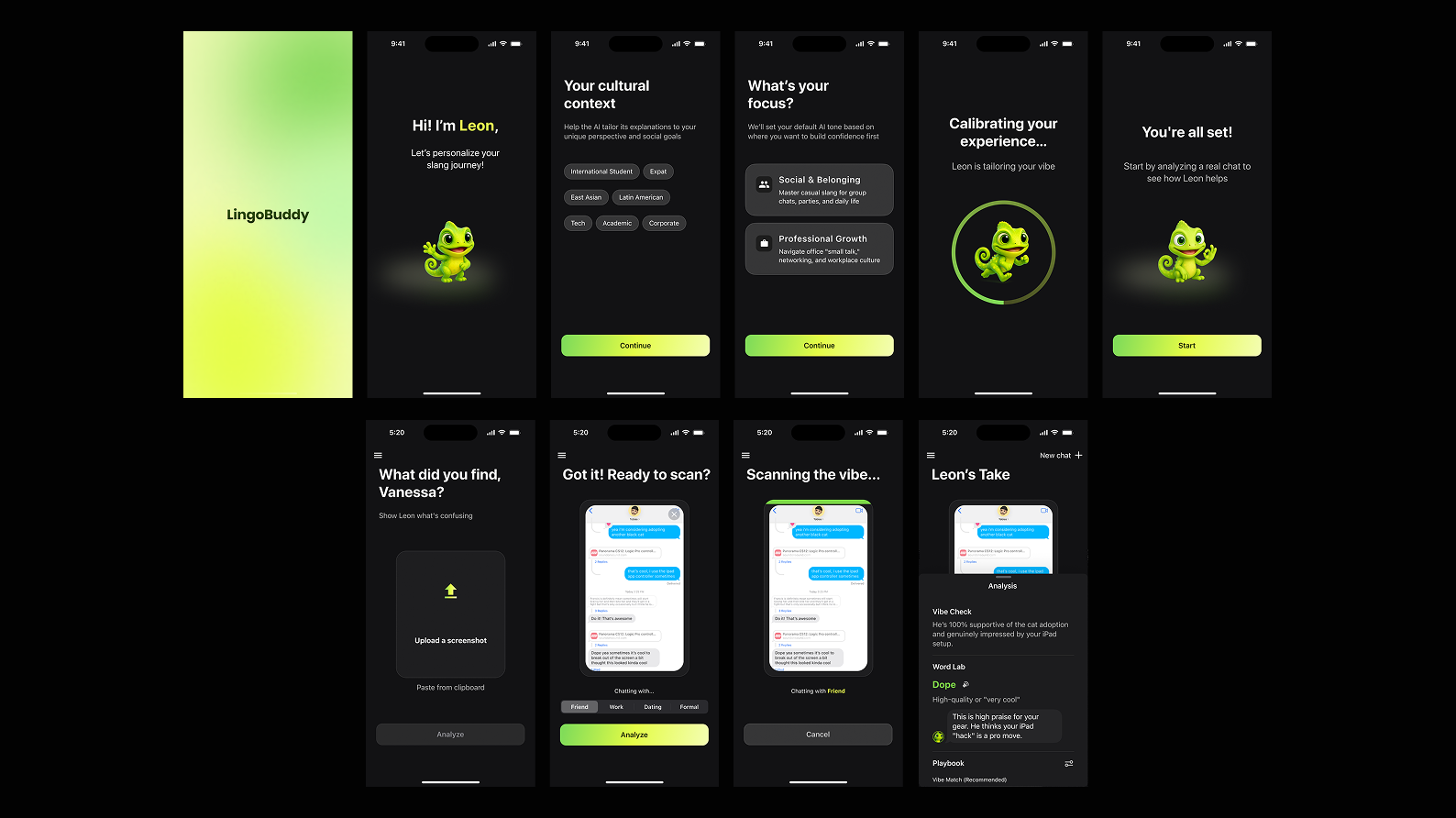
I anchored the final UI in native iOS patterns and a high-energy visual system to ensure LingoBuddy feels like a "pro" extension of the iPhone rather than a third-party chore.
A cohesive end-to-end journey that leverages platform-native components to minimize cognitive load, allowing the high-contrast "Word Lab" anchors to remain the undisputed focal point
reflection & what's next
Designing for learning and belonging
Building Leon was a personal reminder that small design choices—like a single label or a friendly mascot—can drastically change how an international student feels in a new environment. As an international student myself, I’ve lived through the "social tax" of second-guessing every message in a group chat, and this project confirmed that my role isn't just to build a tool, but to design a scaffold for confidence.
Prototyping taught me that "more features" often meant more cognitive load, leading to my pivot toward a seamless, one-tap sidekick experience. One of my biggest takeaways was seeing users react so strongly to the "cultural background" option in onboarding; it reminded me that inclusive design isn't just about accessibility—it's about making people feel seen rather than "othered". Moving forward, I want to keep pursuing work at the intersection of UX, Learning Science, and AI to build products that help bridge cultural gaps.